YouTube Ads Audit Checklist: 30 Things to Check Before You Spend More
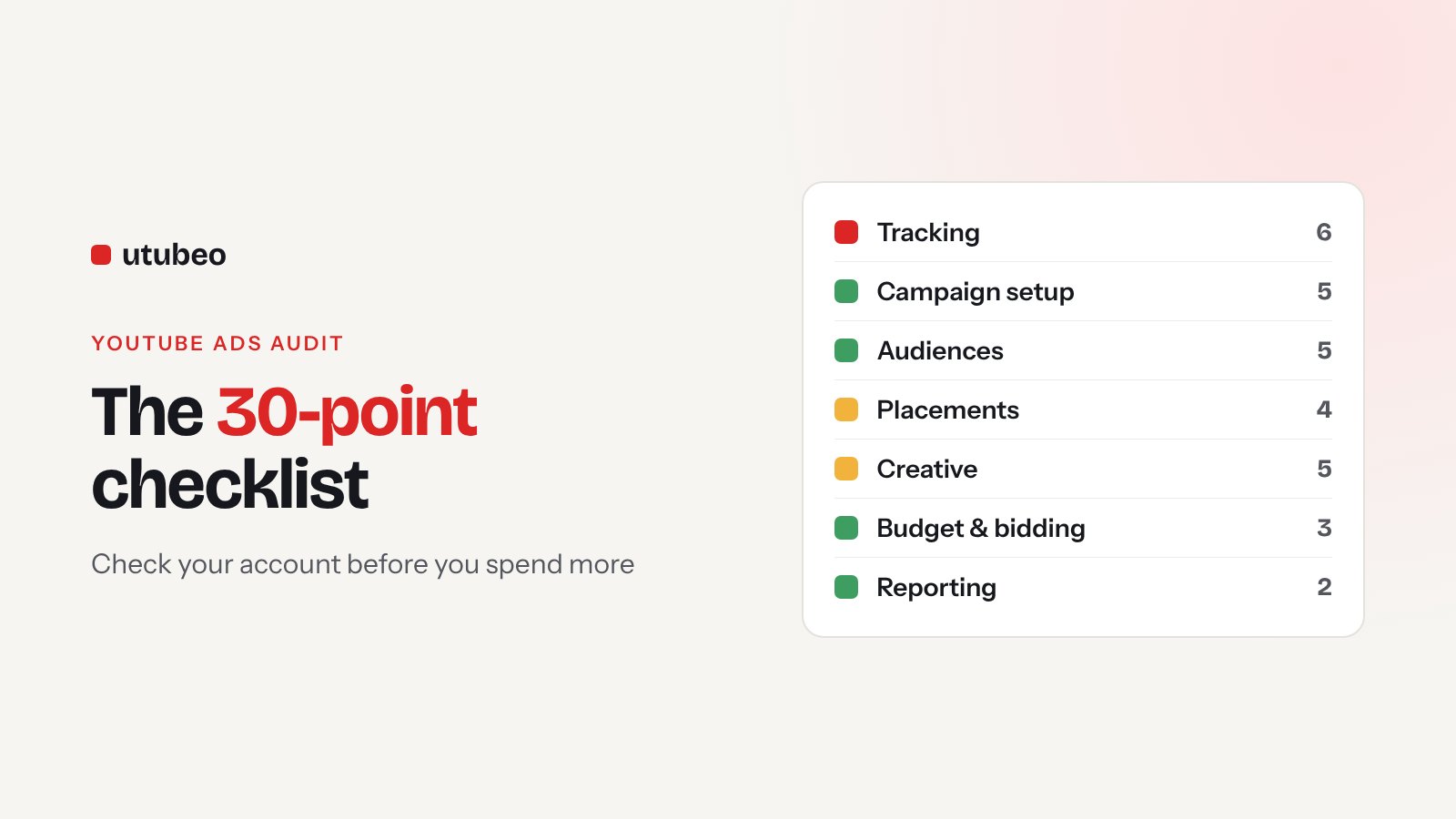
Before you add more money to YouTube Ads, spend one hour checking the account. This is the same 30-point checklist I use when I audit a client's YouTube Ads, grouped into seven areas, with what good looks like for each point.
Get a free YouTube Ads audit
Aleks reviews your account, tracking and creative — then sends a written action plan within 5 business days.
When a new client asks me to "scale YouTube", I don't touch the budget on day one. I open the account and go through the same checklist every time. In most accounts I find two or three problems that waste money every day, and none of them need more budget to fix.
Here is that checklist. It has 30 points in seven areas. You can go through it in about an hour with Google Ads, Google Analytics 4 and Google Tag Manager open. Mark each point green (fine), yellow (needs work) or red (fix now).
The seven areas at a glance
| Area | Points | Why it matters |
|---|---|---|
| 1. Tracking | 6 | If tracking is wrong, Google optimizes toward the wrong thing |
| 2. Campaign setup | 5 | Wrong campaign type or goal wastes budget from day one |
| 3. Audiences | 5 | Decides who sees your ad |
| 4. Placements and brand safety | 4 | Decides where your ad shows |
| 5. Creative | 5 | Decides if people watch and act |
| 6. Budget and bidding | 3 | Decides if the campaign can learn |
| 7. Reporting | 2 | Decides if you keep or kill the right things |
1. Tracking (6 points)
Start here, always. Everything else depends on it.
- The primary conversion is a real business result. A purchase, a qualified lead or a booked call. Page views, scrolls or "time on site" should never be primary.
- No double counting. The same sale shouldn't be counted by the Google Ads tag and an imported GA4 event at the same time. Check the "Include in Conversions" column.
- Conversion values are passed. For stores, the real order value. For lead gen, an estimated value per lead type, so Google knows which leads matter more.
- Enhanced conversions are on. They help Google match conversions when cookies are missing.
- Consent mode works. If you sell in the EU or UK, test that the consent banner sends the right signals. Without it you lose a big part of your data.
- Test conversions show up. Make a real test purchase or form fill and check it appears in Google Ads within a day.
2. Campaign setup (5 points)
- The right campaign type. For sales and leads on YouTube in 2026, that means Demand Gen. Video action campaigns no longer exist. If you see old campaigns with "#2" in the name, read my Demand Gen guide.
- One goal per campaign. Awareness and sales in the same campaign confuse both the algorithm and your reports.
- Warm and cold audiences are separated. Retargeting and prospecting have different costs and should have different targets.
- Locations and languages match your market. Check "Presence" vs "Presence or interest". "Interest" can show your ads to people outside your market.
- Channel controls are a conscious choice. Demand Gen runs on YouTube, Discover, Gmail and Display by default. Decide if you want all of them.
3. Audiences (5 points)
- Remarketing lists are big enough and fresh. Site visitors, cart abandoners and YouTube channel viewers, with sensible durations (for example 30 and 90 days).
- Customer list is uploaded. It powers lookalike segments and lets you exclude existing buyers from prospecting.
- Custom segments use buyer search terms. Terms people type when they're ready to buy, plus competitor names. Not vague topics.
- Buyers are excluded where they should be. Don't pay prospecting prices to reach people who bought last week.
- Not too many tiny ad groups. Ad groups with a few dollars a day never learn. Join similar audiences.
4. Placements and brand safety (4 points)
- Check where ads actually showed. Open the "Where ads showed" report for the last 90 days. Sort by cost.
- Kids' content and mobile game apps are excluded unless they're your audience. They are a common source of cheap views that never convert.
- Content suitability is set. Pick the inventory type and exclude sensitive content that doesn't fit your brand.
- Account-level placement exclusions exist. A shared list you add to every month, so you don't fix the same problem in every campaign.
5. Creative (5 points)
- The first five seconds show the product or the problem. Not a logo animation.
- Every video has a vertical version. Without 9:16, your ad looks small and weak on Shorts.
- There are at least three different videos. Different hooks or angles, not the same video with a new music track.
- The call to action is clear. One action, on screen and in the headline.
- The landing page matches the ad. Same offer, same product, loads fast on mobile.
| Creative check | Weak | Good |
|---|---|---|
| Opening | Logo, slow intro | Product in use or the problem in the first seconds |
| Formats | One horizontal video | 16:9, 9:16 and 1:1 of each concept |
| Testing | One video running for months | 3+ concepts, new ones added monthly |
| Landing page | Home page | Page about the exact offer in the ad |
6. Budget and bidding (3 points)
- The budget can support the target. Google recommends a daily budget of more than 20 times your expected cost per conversion for Demand Gen with conversion bidding. If you're far below that, expect slow learning.
- Bid strategy fits the data. Target CPA or ROAS needs steady conversions. With very few conversions, start with Maximize conversions.
- Changes are calm. Check the change history. Big daily changes to bids or budget keep the campaign in learning forever. About 15% at a time, one week apart, is a good rule.
7. Reporting (2 points)
- You look beyond last click. View-through conversions, assisted conversions and branded search growth should all be part of the report.
- There is one simple weekly report. Spend, conversions, cost per conversion and one note on what changed. If nobody reads the report, nobody notices problems.
How to use your results
Count your reds first. Any red in Tracking means stop and fix it before anything else, because the rest of the account is learning from bad data. Reds in Placements are usually the fastest money saved. Reds in Creative take longest to fix but often bring the biggest growth.
| Your result | What it usually means | Next step |
|---|---|---|
| 0–3 reds | Healthy account | Test new creative and scale slowly |
| 4–8 reds | Money is leaking every day | Fix tracking and placements this week |
| 9+ reds | The account needs a reset | Pause, fix the base, relaunch |
Want me to check it for you?
If you'd rather have someone else go through all 30 points, my YouTube Ads audit covers every item above, plus a written action plan with what to fix first. If you already know the account is in bad shape, the 14-day Account Rescue fixes the problems instead of just listing them.
Running YouTube for an online store? Read the 2026 ecommerce playbook next.
Want a second pair of eyes on your account before you scale spend?
Book a YouTube Ads AuditFrequently asked questions
How often should I audit my YouTube Ads account?
Do a full audit before you raise the budget, after a big change like the move to Demand Gen, and at least once a quarter. Check tracking and placements every month.
How long does a YouTube Ads audit take?
With this checklist you can check the basics in about an hour. A full audit with recommendations takes me a few days, because I also review creative, search terms behind custom segments and the landing pages.
What is the most common problem in YouTube Ads accounts?
Tracking. The campaign optimizes toward the wrong action, counts the same conversion twice, or doesn't see sales at all. When tracking is wrong, every other optimization is guesswork.
Do I need special tools to audit YouTube Ads?
No. Google Ads, Google Analytics 4 and Google Tag Manager are enough for this checklist. Tag Assistant helps you test the tracking.
What does a paid YouTube Ads audit include?
My audit covers all 30 points, plus a written action plan with what to fix first and the expected effect. It starts at $450 for one channel.
Get new articles and free checklists by email
I write about YouTube Ads and channel growth. When a new article or checklist is ready, I send it to the people on this list. Leave your email below and you will get the next one.