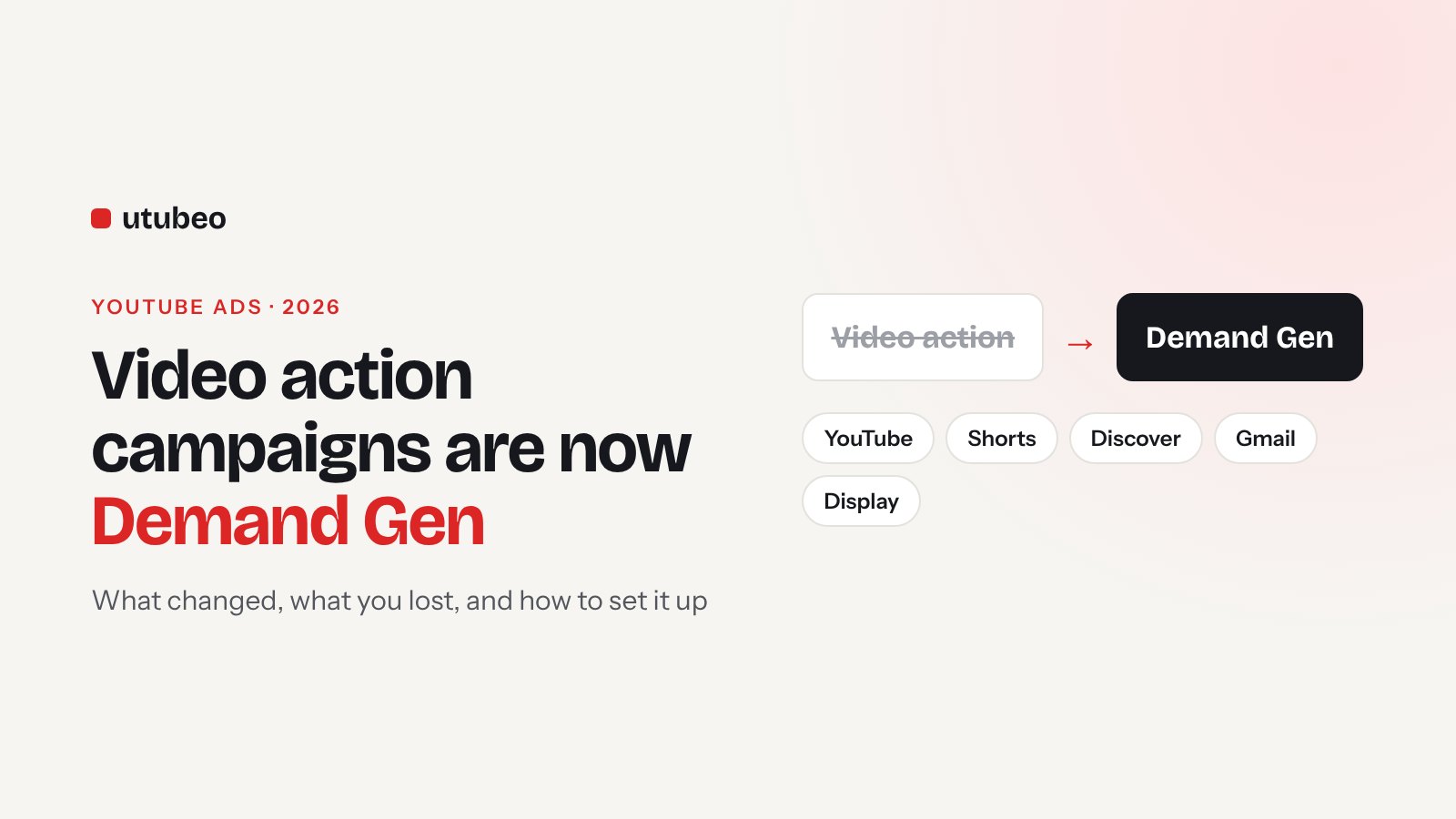
Video Action Campaigns Are Gone: How to Run YouTube Ads in Demand Gen (2026)
If your YouTube campaigns suddenly have "#2" in their name, Google moved them into Demand Gen. Here is what changed in plain words, what you gained and lost, and the setup I use for YouTube Ads in Demand Gen today.
Get a free YouTube Ads audit
Aleks reviews your account, tracking and creative — then sends a written action plan within 5 business days.
Maybe you opened Google Ads this year and saw your YouTube campaigns with "#2" at the end of the name, some of them paused. Nothing was broken. Google moved your Video action campaigns into Demand Gen, created new copies, and paused the ones that didn't upgrade cleanly. Many advertisers only noticed when sales from YouTube dropped.
In this guide I'll explain what changed, what you gained and lost, and how I set up YouTube Ads in Demand Gen today.
What happened, in short
Google stopped new Video action campaigns in April 2025. During 2025 it upgraded most of them to Demand Gen in batches. In April 2026 the last ones were moved. If an upgrade failed, Google deleted the old campaign and created a new paused Demand Gen campaign with the settings it could carry over. That's why many accounts suddenly had paused campaigns with "#2" at the end.
Then in June 2026 Google started moving Display campaigns into Demand Gen too. So today, almost all video and image advertising in Google Ads that isn't Search, Shopping or Performance Max lives in Demand Gen.
Old vs new: what changed
| Video action campaign (old) | Demand Gen (now) | |
|---|---|---|
| Where ads show | YouTube and Google video partners | YouTube (in-stream, in-feed, Shorts, search), Discover, Gmail, Display Network |
| Ad formats | Video only | Video, image and carousel |
| Devices | Mostly mobile and desktop | Adds tablet and connected TV |
| Targeting extras | Custom segments, remarketing | Adds lookalike segments and ad-group-level location and language |
| Bidding | Conversion and value bidding | Adds Maximize clicks |
| Testing | Limited | Creative A/B experiments built in |
| Lost in the move | – | Shared budgets, frequency caps, lead form ads, affiliate location assets, new customer acquisition goal |
One more change people miss: the upgraded ads go through review again, as if they were new. If your old ads had policy notes, check them after the move.
Step 1: pick one goal per campaign
The most common problem I see in upgraded accounts is a campaign that tries to do everything. Demand Gen works best when each campaign has one job. For most businesses that's either sales/leads (conversion bidding) or reach for new people (clicks or conversions with a lower target). Write down which conversion action the campaign optimizes for, and make sure it's a real business result like a purchase or a booked call, not a page view.
Step 2: decide where the ads should show
By default Demand Gen runs on all Google channels. That's fine for many stores. If you only want YouTube, use channel controls and pick YouTube. I usually start YouTube-only for B2B and service businesses, because Gmail and Discover clicks are cheaper but often weaker for them. For ecommerce I test all channels, because product feeds do well on Discover.
Step 3: build audiences that make sense
Keep it simple. Two or three ad groups are enough to start:
- Warm: your website visitors, YouTube channel viewers and customer list.
- Intent: custom segments built from search terms your buyers use and competitor names.
- Lookalike: people similar to your customer list. This is new compared with Video action campaigns and often the best prospecting audience.
Google recommends joining ad groups that have similar audiences. Five tiny ad groups with $5 a day each will never learn.
Step 4: upload both video shapes and add images
Demand Gen shows ads in many places, and each place prefers a different shape. Give it horizontal (16:9) and vertical (9:16) versions of each video, and square (1:1) if you have it. Videos need to be at least 5 seconds. Add image assets too: 1.91:1, 1:1, 4:5 and 9:16. If you only upload one horizontal video, your ad will look small and lost on Shorts.
| Asset | Shapes to upload | Where it helps |
|---|---|---|
| Video | 16:9, 9:16, 1:1 (4:5 optional) | In-stream, Shorts, in-feed |
| Images | 1.91:1, 1:1, 4:5, 9:16 | Discover, Gmail, Display |
| Logo | Square, 1200×1200 | All placements |
Step 5: set a budget that can learn
Google's guidance is a daily budget of more than 20 times your expected cost per conversion when you use conversion bidding. If a lead costs you $40, that's $800 a day. Most small businesses can't start there, and you don't have to. Just know that a smaller budget means slower learning, so be patient and don't judge it in week one.
If you're moving money from an old campaign, Google says most advertisers can move the full budget at once. If your old campaigns struggled to spend, step up from 10% to 50% to 100%, one or two weeks per step.
Step 6: leave it alone while it learns
This is the hardest step for most people. Give the campaign about two weeks or 50 conversions to learn. Then let it run four to six weeks before big changes. When you do change bids, stay within about 15% and wait a week. Google also suggests a conversion window longer than 28 days for these campaigns, so later sales still count.
Step 7: check view-through conversions, carefully
Since April 2026 you can tell a Demand Gen campaign to optimize toward view-through conversions on YouTube. That's when someone sees your ad, doesn't click, and buys later. It's off by default and only works with online web conversions tracked through Google tags, not offline imports.
It can help, because most YouTube buyers don't click. But a long view window makes the numbers look better than reality. Keep Google's one-day default, and compare with branded search and total sales before you believe it.
Quick checklist for upgraded campaigns
- Find campaigns ending in "#2" and check if they're paused.
- Check the conversion goal is still the one you want.
- Check channel controls: all channels or YouTube only.
- Add vertical videos and image assets if they're missing.
- Look for settings that no longer exist (frequency caps, shared budgets, lead forms) and plan around them.
- Check that ads passed the new review.
- Set a budget you can hold for at least four weeks.
What this means for online stores
If you sell products, Demand Gen is good news, because you can connect your Merchant Center feed and show products under the video. I explain the full store setup, with budgets and attribution, in YouTube Ads for Ecommerce Brands: The 2026 Playbook.
Need help with the switch?
If your account moved to Demand Gen and results dropped, the 14-day YouTube Ads Account Rescue is built for exactly that. If you're starting from zero, the 30-day YouTube Ads Launch sets up Demand Gen the right way from day one. Not sure which? Run through my 30-point YouTube Ads audit checklist first.
Want a second pair of eyes on your account before you scale spend?
Book a YouTube Ads AuditFrequently asked questions
Can I still create a Video action campaign?
No. Google stopped new Video action campaigns in April 2025 and upgraded the last ones to Demand Gen in April 2026. For conversion-focused YouTube Ads you now use Demand Gen.
Where do Demand Gen ads show?
On YouTube (in-stream, in-feed, Shorts and YouTube search), Discover, Gmail and the Google Display Network. You can use channel controls to limit a campaign to YouTube only.
What budget does Demand Gen need?
For conversion bidding Google recommends a daily budget of more than 20 times your expected cost per conversion. You can run lower, but learning will take longer.
How long does a Demand Gen campaign need to learn?
Give it about two weeks or 50 conversions, then let it run four to six weeks before big changes. Keep bid changes to about 15% and wait a week between them.
What did I lose when my campaign was upgraded?
Shared budgets, frequency caps, lead form ads, affiliate location assets and the new customer acquisition goal did not carry over from Video action campaigns. Check your upgraded campaigns for settings that no longer apply.
Should I turn on view-through conversion optimization?
Only when your website tracking is clean. It is off by default, it only works with online web conversions, and a long view window can inflate the numbers. Start with Google's default one-day window.
Get new articles and free checklists by email
I write about YouTube Ads and channel growth. When a new article or checklist is ready, I send it to the people on this list. Leave your email below and you will get the next one.